


Yatzy - Classic Dice Game
4.9974.00 Reviews
App Specs
- Version
- 1.0.42
- Updated On
- License
- Free
- Downloads
- 500,000+
- Developer
- Diguo Network Ltd
- Categories
- Board
- Platform
- Android
Screenshots





 Analysis by AppCompare
I treat a digital dice game a little differently from a board game on the table: the screen has to make each choice clear, and the scorekeeping should stay out of the way. That’s the appeal of Yatzy - Classic Dice Game for me. It brings a familiar turn-based game to a phone, so I can play a quick round on my own or make a casual match part of a catch-up with friends. The best fit is someone who enjoys weighing a small decision on every turn rather than chasing elaborate rules or a long campaign.
A useful rhythm for a first game
I’d start by playing at an unhurried pace and learning how the score categories work before worrying about winning. Yatzy is easy to pick up, but each turn asks you to decide whether to chase a particular combination or bank a safer result. The tutorial is useful for that first pass: it explains the rules and scoring, which makes it easier to understand why a roll belongs in one category rather than another. Once that clicks, the automatic score calculation lets me focus on the choice instead of doing arithmetic in my head.
A practical habit is to pause before committing a score and scan the remaining categories. A promising roll can tempt you into using a category that would have been more valuable later, while a modest result may be worth banking if it protects a useful option. The game still depends on luck, of course, but that brief check turns a string of rolls into a series of understandable decisions. For a relaxed game with a newcomer, I’d explain that habit rather than trying to teach every possible tactic at once.
Rolling the Digital Dice
So, what’s the deal with Yatzy - Classic Dice Game? At its core, it’s a straightforward and faithful adaptation of the classic Yatzy game we all know and love. Once you dive in, you’re greeted by a clean and user-friendly interface that makes it easy to get started. The app offers various modes, from solo play to multiplayer, ensuring you can dice it out whether you’re alone or with friends.
Gameplay Experience
Jumping into a game is a breeze. The app provides a few different play modes: you can challenge yourself against the computer, invite friends for a round, or even join a global multiplayer match. I personally love the multiplayer feature; it’s like having a mini game night from the comfort of your couch. Plus, the app’s chat feature adds a nice social element, allowing you to banter and strategize with your opponents in real time.
For everyday play, the different modes suit different moods. A solo match is an easy way to fill a short break without needing to coordinate with anyone. Playing against the computer gives me a contained practice round, while a friend match is better when I want the score to become part of the conversation. Global multiplayer is the option I’d choose when nobody I know is free, though it is less like a shared living-room game: the other player may be a stranger, and chat won’t recreate the warmth of talking face to face.
A realistic use is a quiet wait before an appointment. I can open a solo game, take a few turns, and return to the rest of the day without needing to set up a board or find a score sheet. If I’m playing with friends, I’d instead choose a time when everyone can give the match attention; chat and turn-based decisions are more enjoyable when they aren’t competing with a rushed moment. That difference is small, but it helps me choose a mode that matches the time I actually have.
Worth Reading Before You Choose

EA SPORTS FC Mobile 26 Is a Bigger Football Game, but It Takes Time

Flipboard Shows What News Apps Must Do Beyond the Feed

Switching to Android Auto Means Rethinking Your Driving Routine

Google Calendar Makes a Crowded Week Easier to Manage

Ludo King Makes the Most of the Minutes Between Plans

Baby Panda World Brings Quick Play to Modern Phones, but Its Game Library Feels Busy
Design and Aesthetics
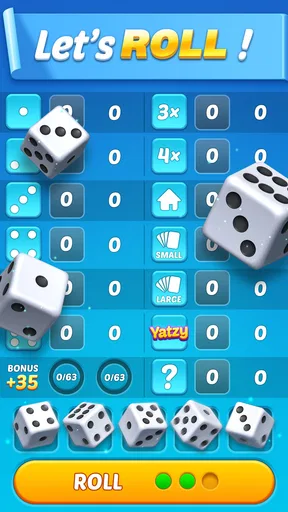
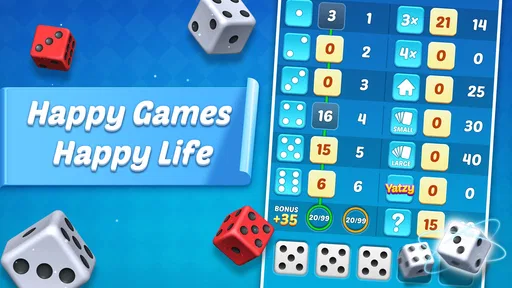
Visually, the app is a treat. The graphics are simple yet charming, and the interface is intuitive enough that even a first-time user can navigate it without trouble. The dice animations are smooth and satisfying, adding a tactile feel to the digital experience. The developers did a solid job in ensuring that the game retains the authentic vibe of the classic board game.
The clean presentation matters most when a turn has several possible outcomes. I can keep my attention on the dice and the score choice instead of deciphering a crowded board. That makes the game approachable for relatives or friends who haven’t played Yatzy on paper, and it also reduces the little delays that often come with explaining where a score belongs. Still, anyone who loves the physical feel of dice in a cup and a shared sheet on the table may find animations a poor substitute; the app offers convenience, not the same tactile ritual.
Settings and ways to settle in
Before settling into regular play, I’d take a moment to look through the available settings and make sure the experience suits the way I plan to use it. I don’t assume a mobile board game will behave exactly like a tabletop session, so I prefer to check the visible options rather than build a routine around an imagined feature. If I’m playing near other people, I keep the social side in mind; if I’m playing alone, I focus on a comfortable pace and clear attention to the scorecard.
The most useful “shortcut” here is a repeatable decision routine, not a hidden button: read the remaining categories, identify the one roll you’re pursuing, then reassess after the dice settle. That keeps me from making a rushed choice just because an animation has finished. In a friendly match, I also prefer to agree on a casual pace before starting, especially if one player is learning. It prevents a light game from turning into a debate about whether someone is taking too long.
Features that Stand Out
One of the standout features of Yatzy - Classic Dice Game is its comprehensive tutorial mode. For those new to the game or needing a refresher, this mode is incredibly helpful. It walks you through the rules and scoring in a way that’s easy to understand, making sure everyone can jump in and play without a hitch.
Moreover, the app includes a variety of game variants. Whether you prefer the traditional Yatzy rules or something with a twist, there’s likely a mode here to suit your taste. This versatility keeps the game fresh and engaging.
Variants are worth approaching one at a time. I’d learn the standard scoring flow first, then try a different version only when I’m comfortable with the basic decisions. That way, a changed rule feels like a deliberate twist rather than a confusing interruption. It also makes it easier to introduce the game to someone else: start with the familiar format, then let the other person decide whether they want to explore alternatives.
Keeping Score
The app does a great job of handling scoring, which, as any Yatzy veteran knows, can be a bit tricky. Automatic score calculation means you can focus more on strategy and less on the math, which I personally find a huge relief. Plus, you can easily track your progress over time with the built-in score history feature, perfect for those competitive souls out there.
Score history is most useful when I treat it as a record of choices, not proof that every result reflects skill. Dice introduce plenty of chance, so one unusually good or poor game shouldn’t change how I judge my ability. A better use is to notice recurring habits: am I protecting flexible categories, or using them early because a roll looks attractive? That kind of reflection gives the history practical value without making every casual round feel like training.
Connectivity and Social Features
In today’s connected world, being able to play with friends online is a must. The app’s multiplayer mode allows you to connect with friends or random players globally. The social aspect is enhanced by a chat function, so you can keep the conversation going while playing. It’s like having your friends right there with you, even when they’re miles away.
There are also leaderboards and achievements to unlock, which adds an extra layer of competition and motivation to keep playing. Who doesn’t love a bit of friendly competition?
For me, the social tools work best when I choose the right opponent. Friends make a better fit for relaxed conversation, while a random match is a straightforward way to find someone to play against when my usual group isn’t around. I’d keep chat light and optional in spirit: the dice decisions are the main event, and not every stranger will want the same level of conversation. Leaderboards and achievements can add a reason to return, but players who dislike comparisons or collectable goals can simply focus on the round itself.
Where the format has limits
Compared with other board-game apps, this one is appealing when I want a compact dice game rather than a broad collection of unrelated games. A physical Yatzy set is better for a family gathered around one table, because everyone can roll and talk in the same space. A paper score sheet is also a good choice for people who want to settle their own house rules or avoid a phone during game night. On the other hand, the app is more convenient when players are apart and automatic scoring is welcome.
It is not the right choice for someone looking for deep strategy with little randomness, a long story, or a complex game to master over many sessions. Yatzy’s appeal is its short loop of rolling, choosing, and scoring; chance remains part of the experience even when I make careful decisions. Multiplayer also depends on having the kind of online interaction I want at that moment. If I’m after face-to-face warmth, I’d pick a physical game; if I want a quiet solo puzzle, I’d choose a game built around individual problem-solving instead.
The practical questions are easy to answer from how I’d use it: it is free to play, and the age rating is Everyone, so it can suit a broad range of players. It was released on Jan 13, 2025, and version 1.0.34 is the current version; Android devices need version 6.0 or later. Diguo Network Ltd develops the game. I’d still make the choice based on the play style rather than those details: the key question is whether a familiar dice contest sounds fun to you.
Its 4.9 average from around 12,000 ratings, with more than 500,000 installs and around 833 reviews, suggests that many players have taken to it. Those figures are useful context, but I wouldn’t treat popularity as a guarantee that every mode will fit my preferences. The more relevant test is whether I enjoy the mix of simple rules, automatic scoring, and a little uncertainty in each round.
Final Thoughts
Overall, Yatzy - Classic Dice Game is a fantastic digital adaptation of a beloved classic. It manages to capture the fun and excitement of rolling dice with friends, all while offering the convenience of mobile play. Whether you’re a Yatzy veteran or a newbie, this app provides endless entertainment and a solid way to pass the time. So, grab your phone, download the app, and let the dice rolling begin!
My strongest recommendation is for casual players who want a recognizable board-game experience without laying out dice and a score pad, plus friends who are happy to play online. I’d suggest newcomers use the tutorial, take time over each score choice, and explore variants only after the basic rhythm feels familiar. If you prefer tactile play, dislike online competition, or want strategy with less luck, a tabletop alternative or another kind of game will suit you better.
A verdict built around the roll
For its simple premise, Yatzy has enough decision-making to reward attention without demanding a long session. I like that the app handles the scoring while leaving the meaningful choice to me: which result is worth keeping, and which possibility should stay open? The answer changes from turn to turn, so a familiar game can still feel lively. I’d keep it installed for relaxed breaks and occasional online rounds, while remembering that its best moments come from matching the mode and pace to the people playing.
Pros
- User-friendly interface for easy navigation.
- Quick matchmaking with online players.
- Offline mode for solo play available.
- Challenging AI for single-player games.
- Regular updates with new features.
Cons
- Ads can be intrusive during gameplay.
- Limited customization options for dice.
- Some features require in-app purchases.
- Occasional connectivity issues online.
- Lacks tutorial for beginners.
FAQs for Yatzy - Classic Dice Game
What is Yatzy - Classic Dice Game?
Yatzy - Classic Dice Game is a digital adaptation of the traditional dice game. Players roll five dice up to three times to achieve specific combinations, aiming to score the highest points. The app offers various modes, including single-player and multiplayer, with intuitive controls and engaging graphics.
Is Yatzy - Classic Dice Game free to play?
Yatzy - Classic Dice Game is free to download and play, offering basic gameplay features at no cost. However, it may include in-app purchases and ads to enhance the gaming experience, such as unlocking additional game modes or removing advertisements.
Can I play Yatzy - Classic Dice Game offline?
Yes, Yatzy - Classic Dice Game can be played offline in single-player mode. This feature allows you to enjoy the game without an internet connection, making it a great option for travel or areas with limited connectivity. However, multiplayer features require an internet connection.
Are there any age restrictions for Yatzy - Classic Dice Game?
Yatzy - Classic Dice Game is suitable for players of all ages. It is designed to be family-friendly, with simple rules that make it accessible to children and adults alike. Always check the app's content rating and parental controls if you have concerns about age-appropriate material.
What are the main features of Yatzy - Classic Dice Game?
The main features of Yatzy - Classic Dice Game include multiple gameplay modes like Classic, Triple, and Challenge modes, vibrant graphics, and easy-to-use controls. The app also offers leaderboards, achievements, and the ability to play with friends online or locally, enhancing the overall experience.


